
At this time, there are a great many AI tools capable of writing Pine Script, such as ChatGPT, Claude, Gemini and various specialist trading platforms. The more difficult aspect is locating a tool that assists with the entire TradingView development process rather than merely generating a section of code.
An AI coding tool for TradingView should assist you in creating indicators and strategies, allow you to work with existing Pine Script, enable you to correct compiler errors, let you convert code from other platforms, and help you keep your projects organised as you test them in TradingView.
£5 Free Credit for New Users
New users currently receive £5 of free Xen AI credit. Xen uses pay-as-you-go pricing, so you only purchase additional credit when required. Try Xen AI for TradingView
Xen AI for TradingView
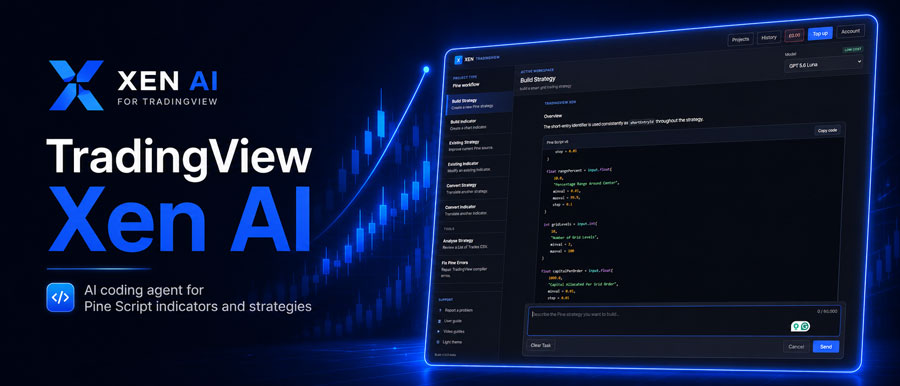
Xen AI is designed specifically for use with Pine Script development.
Rather than having a single general chat window, you select the type of work that you wish to carry out. Xen provides tasks for constructing indicators, developing strategies, altering existing code, fixing Pine errors, converting software from other platforms, and reviewing the results of TradingView strategies.
You continue to compile and test the final script within TradingView; Xen takes care of the coding workflow, while TradingView stays the platform on which the script is validated and run.
Build indicators and strategies from normal instructions
You don't need to write Pine Script yourself; for instance, you could request Xen to produce an indicator that makes use of moving averages, RSI filters, alerts and chart markers; with respect to a strategy, you could state the rules for entering a trade, the stop loss, the take profit, the session times and any other trading conditions.
The Prompt Builder is useful when dealing with more complicated ideas since it helps transform a rough description into a clearer specification before the code is generated.
Fix Pine Script errors
AI-generated code doesn't always compile the first time. TradingView can report syntax errors, invalid functions, type problems or warnings, and Xen has a specific repair task in which you give it the Pine Script currently in use together with the error displayed by TradingView. The project need not be started all over again if the script is then corrected.
It is more practical to copy sections of code between a general chatbot and TradingView rather than to do it repeatedly.
Convert existing trading software to TradingView
Xen is also capable of converting indicators and strategies from platforms such as NinjaTrader, cTrader and MetaTrader into Pine Script. A direct translation is not always possible since the various platforms deal with the execution, bar processing, sessions, and multi-timeframe logic in different ways.
The objective should be to as far as possible to keep the original trading logic, and then spot any sections that require additional testing on TradingView. For people who already have working strategies on a different platform, this will mean saving a great deal of time spent manually rewriting.
Build from an image
Xen has the option of using an image that has been uploaded as part of the development request; you could upload a screenshot of the indicator and explain what the various lines, signals or panels mean. Then Xen could use the image as a reference when preparing the Pine Script. Since an image cannot show hidden calculations, you will still need to provide an explanation of the underlying logic when required; nevertheless, it is helpful for reproducing layouts and visual indicators.
Choose different AI models
Different coding tasks work better with different models, and Xen provides users with access to a number of AI models rather than linking the product to just one provider, allowing the use of a more powerful model for complex conversions or strategies while a cheaper model will suffice for smaller changes. It also enables Xen to suggest different models for tasks like code generation and error repair.
Xen AI vs LuxAlgo Quant
LuxAlgo Quant is a specialist alternative among the closest ones.
It is able to produce Pine Script based on natural-language instructions, to debug code and to work with charting tools related to trading. Moreover, LuxAlgo has extended its offerings beyond coding to include charting, backtesting and market analysis. Xen has a more limited area of focus.
| Feature | Xen AI | LuxAlgo Quant |
|---|---|---|
| Generate Pine Script | Yes | Yes |
| Build indicators and strategies | Yes | Yes |
| Modify existing code | Yes | Yes |
| Pine error repair | Yes | Yes |
| Convert from NinjaTrader, cTrader or MetaTrader | Yes | More limited |
| Image-based development | Yes | Yes |
| Multiple AI models | Yes | Platform controlled |
| Built-in charting | No | Yes |
| Built-in backtesting | No | Yes |
| Pricing | Pay as you go | Free/subscription plans |
LuxAlgo is more reasonable when you are looking for a general trading platform with AI incorporated into it. Xen is designed for people who are already involved with TradingView and who primarily need assistance with creating and maintaining Pine Script.
Xen AI vs ChatGPT and Claude
Both ChatGPT and Claude are capable of writing good Pine Script, and for a small coding question or a simple edit, they might be all that you need. The point is that Xen includes a development workflow for the AI; all of the features such as projects, task-specific instructions, knowledge of Pine Script, repair tools, conversion tools, and model selection are managed within the same product.
The more considerable the project is or the more changes it requires, the more important that becomes.
Pay as you go instead of another subscription
It is not the case that every trader uses AI coding every day; you can draw up a strategy and then leave it alone for a month. Xen therefore opts to provide pay-as-you-go credits instead of making a monthly coding subscription necessary. Credits are used when you carry out an AI task, the cost varying according to the model chosen and the amount of work involved.
For occasional development of Pine Script, it might be more sensible than paying for another recurring platform.
What is the best AI coding tool for TradingView?
LuxAlgo Quant is a good choice if you're looking for a trading environment that includes AI, charting, and backtesting. If you only need occasional help with Pine Script, a general AI such as ChatGPT or Claude may be enough.
If you want a dedicated TradingView development tool for building, repairing and converting Pine Script without another monthly subscription, Xen AI is a better fit. The important point is that AI should reduce the amount of manual coding, not remove the need to test. Any generated strategy still needs to be compiled, reviewed and backtested properly inside TradingView.


