
If you have a TradingView indicator that fits your trading style, moving to MetaTrader 5 doesn't necessarily mean finding a replacement. With the original Pine Script source code, you can use Xen AI to convert the indicator to MT5 and keep its familiar calculations and signals.
In this demonstration, we convert a TradingView Bollinger Band Reversal indicator into an MQL5 indicator. The existing script provides the starting point, so the task is to translate its behaviour rather than describe a new indicator from scratch.
£5 Free Credit to Try Xen AI
If you have not tried Xen AI yet, you can start with £5 of introductory credit. Xen uses pay-as-you-go pricing, with no monthly subscription. Try Xen AI for MetaTrader
Getting started
Finding another indicator with a similar name does not guarantee the same results. Two Bollinger Band indicators might use different price inputs, apply different conditions to their reversal markers or handle an unfinished candle differently. Those details matter when you are used to reading a particular set of signals.
Working from the original source gives the conversion a clear reference. The aim is to carry over the calculations, settings and chart output that make the indicator useful to you. For the Bollinger Band Reversal example, that means checking both the bands and the conditions that produce a reversal signal.
It is sensible to preserve the original behaviour first. Adding filters or changing signal rules during conversion makes it harder to tell whether a difference is intentional or needs correcting.
Share the source code with Xen
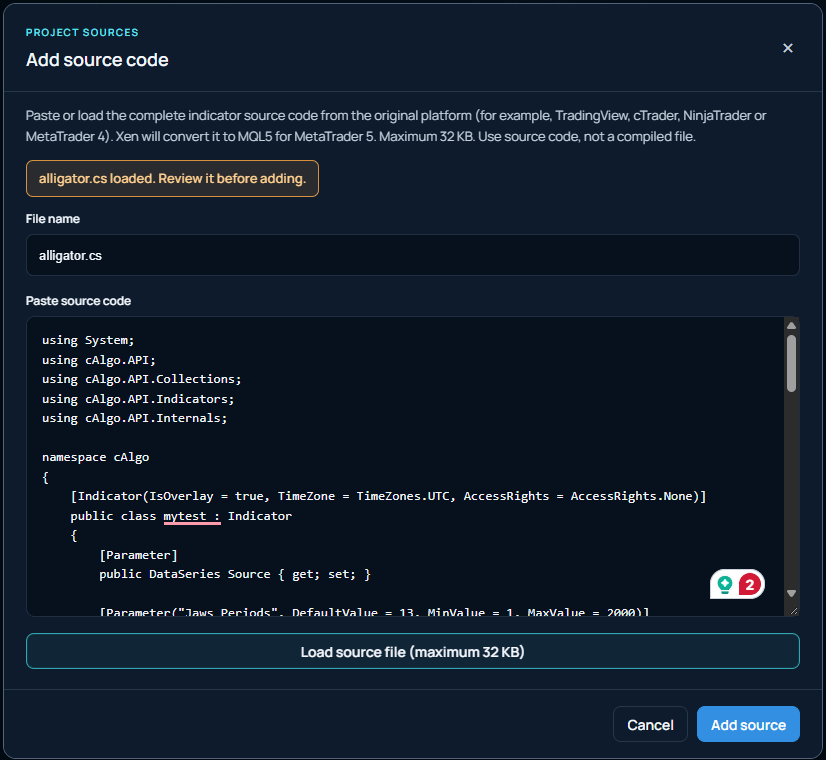
In the MetaTrader Xen workspace, select the indicator conversion task and supply the TradingView Pine Script. Add a short instruction explaining what you want converted and which features should stay the same. You can write your instructions in your own language.
For example, you could ask Xen to preserve the existing input settings, band colours and reversal markers without changing the signal conditions. If alerts are part of the original indicator, mention whether you want those included in the MT5 version.
Convert this TradingView indicator to MT5. Keep the existing calculations, input settings and reversal conditions. Preserve the band plots and signal markers, and explain any behaviour that needs a different implementation.
This workflow requires access to the source code. A screenshot can help explain how the indicator should look, but it cannot show all the logic behind it. Use your own code or source you have permission to adapt.
From Pine Script to an MT5 indicator
TradingView indicators use Pine Script, while MetaTrader 5 uses MQL5. The conversion therefore needs to adapt how the indicator reads prices, calculates values and draws its output. Renaming a file or copying Pine Script into MetaEditor will not make it an MT5 indicator.
Xen produces editable MQL5 source that you can open in MetaEditor. Compile the file, then add the indicator to a MetaTrader 5 chart. If compilation reports a problem, give Xen the source and the compiler messages so it can address the specific errors.
Once the indicator runs, compare it with the original using matching settings and timeframes. For this example, look at where the bands sit and which candles receive reversal markers. Check whether markers can appear while a candle is forming or only after it closes.
TradingView and your MT5 broker may supply different price data, so the charts may not match exactly. If a signal differs, record the candle time and settings rather than simply asking Xen to make the indicator look the same. A specific example gives you a better basis for investigating the difference.
Watch the Bollinger Band Reversal conversion
The video below demonstrates the conversion using the TradingView indicator's source code. It shows how an existing script can become the starting point for an MT5 version without manually rewriting the indicator.
After checking the converted version, you can continue developing it in Xen. You might want clearer markers, different default settings or an additional alert. Keeping those changes separate from the initial conversion gives you a working reference to compare against as the indicator develops.