
Choosing the right broker is one of the most important decisions a cTrader user will make. The broker controls your account conditions, available markets, trading costs, execution environment and access to the cTrader platform.
There is no single broker that will suit every trader. A scalper running automated cBots may have different requirements from a discretionary trader who prioritises regulation, customer support or access to multiple trading platforms.
To make the selection process easier, ClickAlgo operates a dedicated broker comparison website where traders can compare leading cTrader brokers, read detailed reviews and check the main features of each provider.
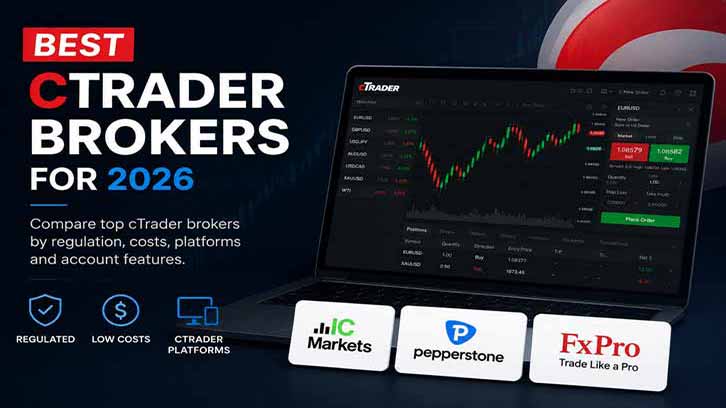
Compare the Best cTrader Brokers for 2026
What Should You Look for in a cTrader Broker?
A broker should not be selected purely because it advertises low spreads. The total trading environment matters, particularly for active traders and users of automated trading systems.
Important areas to compare include:
- Regulation: Check which legal entity will hold your account and which financial authority regulates it.
- cTrader availability: Confirm that cTrader desktop, web and mobile are available in your country.
- Trading costs: Compare spreads, commissions, overnight financing costs and any account fees.
- Execution: Review the broker's execution model, available liquidity and order-handling conditions.
- Account options: Check minimum deposits, account currencies, leverage and available account types.
- Markets: Confirm that the broker offers the forex pairs, indices, commodities or other CFDs you intend to trade.
- Automated trading: cBot users should verify symbol names, minimum trade sizes, server conditions and cTrader Algo compatibility.
- Customer support: Reliable support becomes important when dealing with account, deposit, withdrawal or platform issues.
Leading cTrader Brokers to Compare in 2026
IC Markets
IC Markets is a well-known option for active traders who want access to cTrader and raw-spread account choices.
It may be suitable for traders interested in:
- Active forex and CFD trading
- Automated strategies and cBots
- Raw-spread pricing structures
- cTrader desktop, web and mobile
- Advanced charting and C# algorithmic tools
IC Markets advertises variable spreads from 0.0 pips on its cTrader Raw Spread account and publishes a commission of USD 3 per USD 100,000 traded, per side. Actual spreads and total trading costs will depend on the instrument, market conditions and the legal entity offering the account.
Traders should start with a demo account and confirm current symbols, pricing, execution conditions and account availability before depositing funds.
Read the full IC Markets cTrader review
Pepperstone
Pepperstone is a multi-platform broker worth comparing if you want cTrader alongside other established trading platforms.
It may be suitable for traders looking for:
- Flexible platform choice
- cTrader desktop, web and mobile
- Multiple account options
- Trading tools and educational resources
- Access to a range of forex and CFD markets
Platform flexibility can be useful for traders who want to compare cTrader with other platforms or maintain different trading workflows under one broker.
Read the full Pepperstone cTrader review
FxPro
FxPro is an established broker to consider if regulation, account choice and access to cTrader are priorities.
It may be suitable for traders interested in:
- Established brokerage services
- Different account and platform options
- cTrader desktop, web and mobile
- A broad selection of trading markets
- Comparing regulation, fees and customer service
As with any broker, traders should verify which FxPro legal entity is available in their country and review the current account terms before opening a live account.
Read the full FxPro cTrader review
Which cTrader Broker Is Best for Automated Trading?
Automated traders should look beyond headline spreads. A cBot can behave differently between brokers because of symbol naming, minimum volume, commission structure, trading sessions, available historical data and execution conditions.
Before using a cBot with live funds:
- Open a demo account with the broker.
- Confirm that all required symbols are available.
- Check symbol names, pip sizes and minimum trade volumes.
- Run the cBot using realistic commission and spread settings.
- Compare backtest, demo and live execution behaviour.
- Use a VPS or cTrader Cloud where continuous operation is required.
No broker can guarantee the profitability of an automated trading strategy. The broker provides the trading environment, but the trader remains responsible for testing the strategy and controlling risk.
Should You Use a Demo Account First?
Yes. A demo account allows you to inspect the broker's cTrader platform before committing capital.
You can use a demo account to check:
- Platform stability
- Available symbols
- Typical spreads
- Chart history
- cBot and indicator compatibility
- Order-entry features
- Mobile and web access
Demo execution will not perfectly reproduce live trading, but it is still an essential first step.
Compare cTrader Brokers Before Opening an Account
Broker conditions and regional availability can change. Before registering, always verify the current terms directly with the broker and make sure you understand which regulated entity will provide your account.
The dedicated cTrader Brokers website provides broker reviews, platform guides, account comparisons and educational information designed specifically for cTrader users.
Risk warning: Forex and CFD trading involve a high level of risk. Leveraged products can result in rapid losses. Make sure you understand how CFDs work and whether you can afford to take the risk of losing your money.
Partner disclosure: ClickAlgo and cTraderBrokers.info may receive a commission when an eligible user registers with a broker through one of our partner links. This does not increase the cost to the user. Broker inclusion does not constitute financial advice or a guarantee of suitability.
Trademark notice: This article is an independent informational resource and is not affiliated with or endorsed by Spotware Systems Ltd. cTrader is a registered trademark of Spotware Systems Ltd.


