
You may already have an Expert Advisor with the trading logic you want, but it needs a repair or a small change. Perhaps it no longer compiles, or you want to add a feature without disturbing the rest of the strategy. Xen AI lets you work from the existing MQL5 source and describe the changes you need.
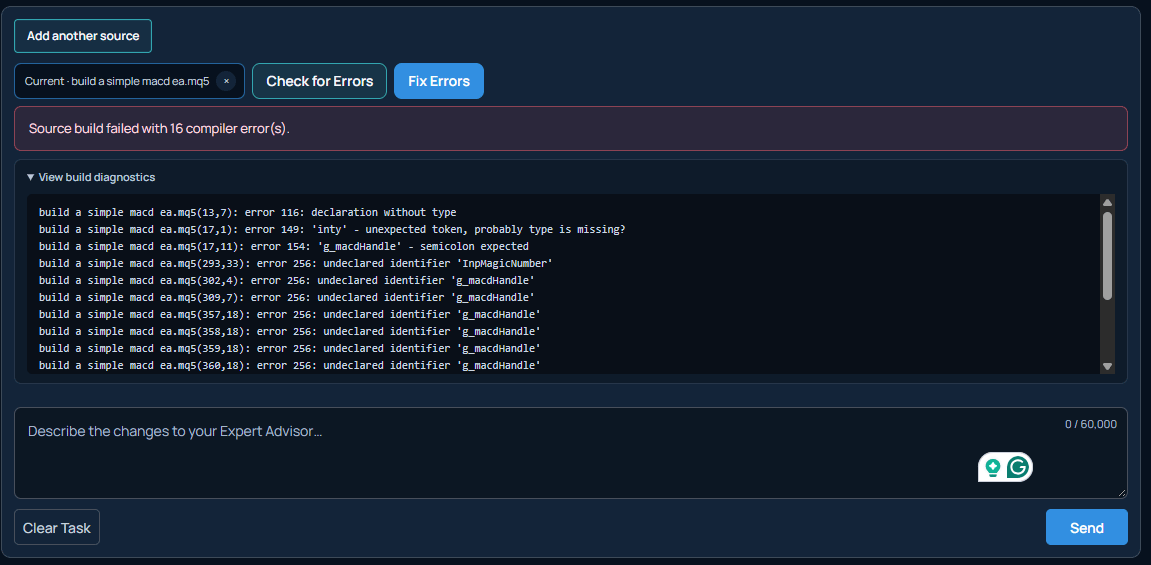
Our latest demonstration starts with a FRAMA Expert Advisor containing coding errors, where Xen repairs the source and automatically compiles it to check the build. We then request additional features, showing how the same EA can be maintained and extended rather than replaced.
£5 Free Credit to Try Xen AI
If you have not tried Xen AI yet, you can start with £5 of introductory credit. Xen uses pay-as-you-go pricing, with no monthly subscription. Try Xen AI for MetaTrader
Start by explaining the problem
When an EA stops working, the first useful distinction is whether it fails to compile or runs but behaves incorrectly; compiler errors identify problems that prevent a build. An EA that opens an unexpected trade or ignores an exit condition needs a different investigation, even if the code compiles without errors.
Provide the current source file and explain what you observed; for a compilation problem, include any messages you already have. For a trading problem, describe a specific example: what the EA did, what you expected and the settings used. This helps keep the repair focused and avoids unnecessary changes across the program.
You will need editable MQL5 source, normally an .mq5 file, together with any required supporting files; a compiled .ex5 file does not provide the source needed for this workflow. Keep an untouched copy of the original before starting.
What automatic compilation adds
An AI response can look convincing while still containing code that will not build; automatic compilation gives Xen compiler feedback, so repairs can be checked against actual diagnostics rather than relying only on a review of the text.
In the FRAMA demonstration, this is part of the repair process; Xen modifies the supplied EA and compiles the result to check for remaining compiler errors. It provides a useful checkpoint before moving on to further changes.
Compilation has a specific purpose: it can confirm that the source builds, but it cannot establish whether your entry conditions are correct or whether a stop moves at the intended time. Those questions require testing the EA's behaviour in MetaTrader.
Describe the change and its limits
A feature request is easier to implement when it explains both the new behaviour and what should stay the same. “Improve the risk management" leaves considerable room for interpretation. A request that defines a particular limit, its settings and when it applies gives Xen a clearer task.
For example, a spread filter should specify whether it blocks only new entries; without that detail, you haven't explained what should happen to positions already open when the spread increases. The following is an example request, rather than a list of features shown in the video.
Add an adjustable maximum-spread filter for new entries, measured in points, continue managing open positions when the spread exceeds the limit. Keep the existing signal calculations, position sizing and exit rules unchanged.
You can write your instructions in your own language. Where a request contains several independent changes, introduce them in stages so you can check each one. This is particularly useful when modifying an EA you did not originally write.
Check existing behaviour
Testing an update means checking more than the new feature. A change to entry handling, for example, should not accidentally prevent an existing position from being managed. Keep a repaired version as your reference, then compare later revisions against it.
For the spread-filter example, test conditions on both sides of the limit, confirm that new entries are blocked when required and that open positions still receive their normal exit and stop-management instructions. Where a feature can be disabled, testing with it switched off can also help reveal unintended changes.
Compile the downloaded source in your own MetaEditor and use the MT5 Strategy Tester to examine the relevant behaviour and, if something is wrong, return to Xen with the current version and a precise example. A trade time, screenshot or log message can make the issue much easier to reproduce.
When a developer is still useful
AI gives traders another way to handle straightforward repairs and modifications without commissioning every small edit; more complex EAs can still require an experienced developer, particularly when several strategies share positions or changes affect multiple parts of the program.
A developer can discuss unclear requirements, trace interactions and help define the tests needed to judge the result, if repeated revisions fix one problem but introduce another, it may be time for a structured review of the EA rather than another isolated patch.
Watch the FRAMA Expert Advisor repair
The video follows an existing FRAMA EA through error correction, automatic compilation and additional feature requests. It shows how Xen can work with code you already have, with the original program providing the basis for each update.