
When you already have a Pine Script strategy, you don't always want to rebuild it from scratch. Most of the time, you just want to understand what the code does, check for obvious problems, add a new feature, or improve part of the logic without disrupting the rest of the strategy.
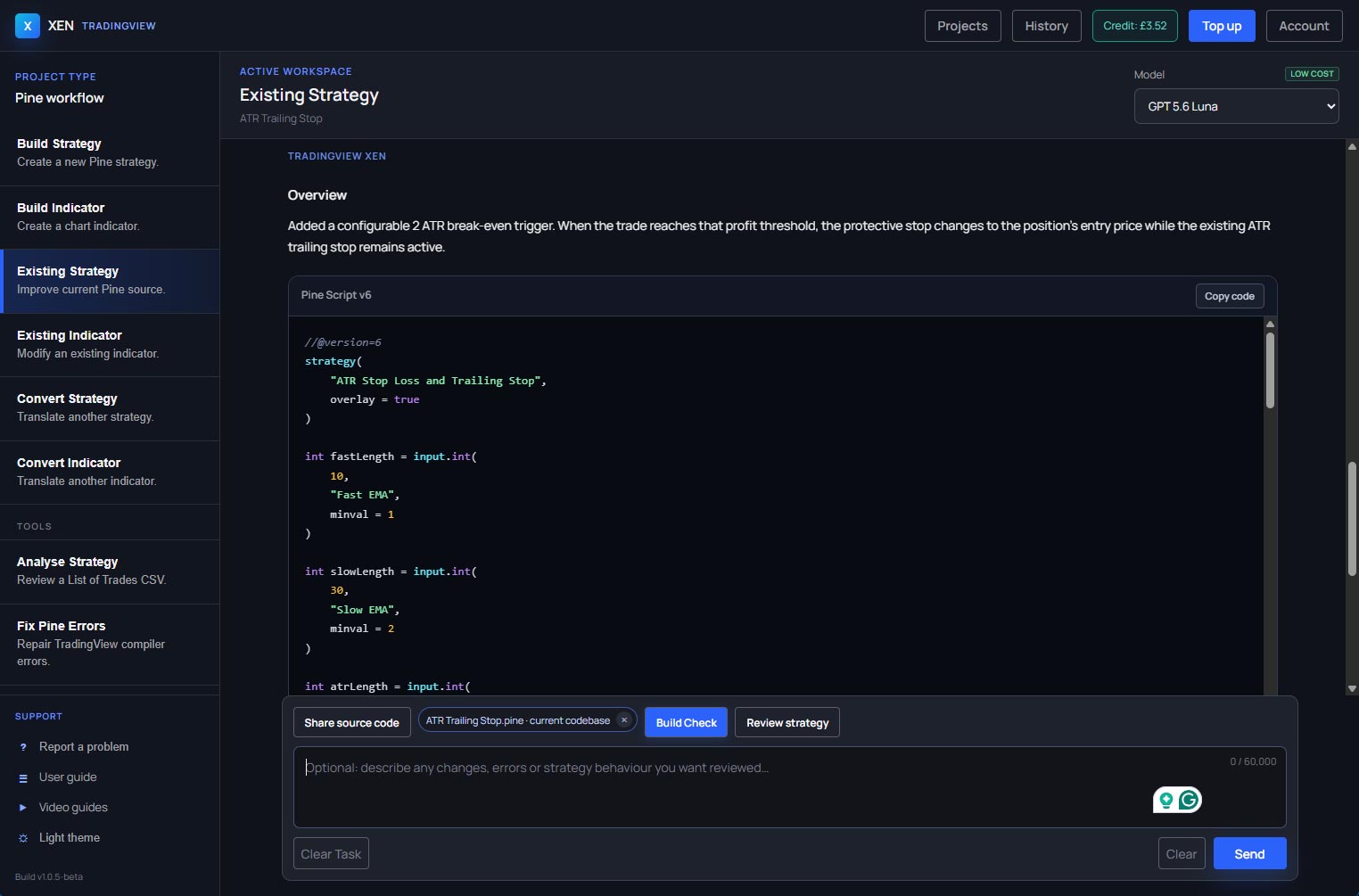
TradingView Xen includes an Existing Strategy workflow for exactly this type of work. You can paste in your current Pine Script, ask Xen to review it, check for build errors, make targeted changes, or supply additional code and examples for Xen to use while updating the strategy.
£5 Free Credit for New Users
New users currently receive £5 of free Xen AI credit. Xen uses pay-as-you-go pricing, so you only purchase additional credit when required. Try Xen AI for TradingView
Start with the strategy you already have
The workflow begins by sharing your existing Pine Script strategy with Xen. This gives the AI full project context instead of asking it to guess the strategy structure from a short prompt.
From there, you can ask Xen to review the code and produce a report covering areas that may need attention. That can include coding issues, missing risk controls, opportunities to simplify the logic, or parts of the strategy that could be made easier to configure and test.
You can also use the same workflow to check the strategy for build errors before moving it back into TradingView. This is useful when you've edited a script several times or added new logic and want another pass over the code before compiling it yourself.
How to add more features
One of the more useful parts of the Existing Strategy feature is making focused changes to code that already works. You might want to add a trailing stop, introduce a date filter, change position sizing, add alerts, include a higher-timeframe condition, or add extra controls to the strategy settings.
Because Xen already has the existing code, you can describe the change you want and ask it to preserve the rest of the strategy. This is often a cleaner way to work than regenerating the whole script and then manually comparing the old and new versions.
Use external code and examples
You are not limited to the code already inside the strategy. Xen can also work with external code logic that you upload or paste into the task, If you already have a Pine Script function, indicator calculation, stop-management routine or another piece of logic that you want to reuse, you can share it with Xen and ask for it to be integrated into the strategy.
You can also provide example code to show Xen how you want a particular feature implemented. This can be useful when you prefer a specific coding pattern or already have working Pine Script you want to use as a reference rather than recreate it differently.
Publish and test in TradingView
Once the changes are complete, the final step is still TradingView itself. Copy the updated Pine Script into the Pine Editor, save it, compile it and attach the strategy to a chart.
This is where you confirm that the strategy behaves as expected. Check the entries and exits on the chart, review any new feature you added, and use Strategy Tester to see how the changes affect the backtest.
The Existing Strategy workflow is useful because it keeps the whole process centred around code you already own and understand. Instead of treating every change as a new development project, you can review, repair and extend the strategy as it evolves.


