
AI makes it much quicker to change a NinjaTrader strategy, but faster development also means you can move away from a working version surprisingly quickly. You might ask AI to add a trailing stop, change an entry filter or alter position management. The code compiles, but after testing, you decide the previous version was actually better. At that point, trying to recreate the old code from memory is not a good workflow. Xen AI for NinjaTrader keeps a history of the development work so you can go back.
Try Xen AI for NinjaTrader:
https://ninja.clickalgo.com/
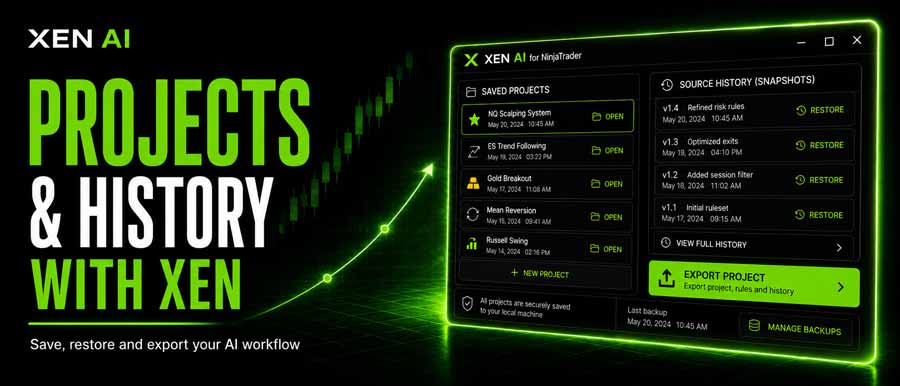
Restore an Earlier NinjaScript Version
When the generated C# source changes, Xen can create a source snapshot for the current project. Open History to review earlier revisions, along with the task, AI model, and creation time. Restoring a snapshot makes that revision the current source again, allowing you to continue development from the earlier version rather than asking the AI to recreate it.
This is useful when a modification:
- introduces a new problem
- changes behaviour you wanted to keep
- performs worse during backtesting
- takes the strategy in the wrong direction
It also encourages a better way of working with AI. Make one meaningful change, build it, test it and then continue. If the next change fails, you still have a known point to return to.
Reopen Previous NinjaTrader AI Projects
Xen also saves development projects rather than treating every AI conversation as disposable. Open projects, and you can return to an earlier strategy or indicator with its conversation and task context restored. This means you do not have to explain the original requirements again every time you return to the project. You can also rename, export, or delete projects.
For work you want to archive or send to somebody else, Xen can export the conversation as a self-contained HTML file. The export includes the project title, conversation, code and development discussion. You can open it in a normal browser or print it to PDF, which can be useful when requesting support or keeping a record of how a strategy was developed. Remember that an exported conversation may contain your trading rules and source code, so check it before sharing it.
History Helps, but Keep Your Own Backups
Xen's history is intended to make iterative AI development safer and easier. It should not replace proper source control or your own backups. Once you have an important or tested NinjaScript version, download the .cs file and keep it with your normal project records. The combination works well: Xen handles rapid AI-assisted changes while you keep permanent copies of the versions that matter.
Try Xen AI for NinjaTrader:
https://ninja.clickalgo.com/


