
One problem with building a NinjaTrader strategy with AI is that code can compile correctly and still not do exactly what you asked for. A stop rule may be missing, an entry condition may only be partly implemented, or a piece of behaviour may have changed after several rounds of modifications.
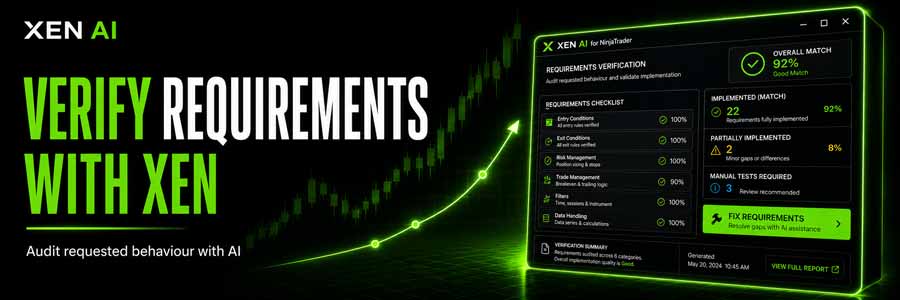
This is why Xen AI for NinjaTrader includes Requirements Verification. Instead of checking whether the code compiles, it looks back through the project conversation, identifies the behaviour you asked for and compares those requirements with the latest generated NinjaScript.
The result is a report showing which requirements appear implemented, which are only partially covered, and which may still need testing inside NinjaTrader. Where possible, Xen also points to the relevant class, method or property in the source so you can see why a requirement was marked as implemented.
Watch the Requirements Verification demo:
Useful After Several Rounds of Development
The feature becomes particularly useful once a strategy has gone through several changes. You might start with a simple entry and exit system, then add trading hours, risk controls, breakeven logic and trailing stops. By that stage, it is easy for an earlier requirement to be overlooked or altered while another part of the strategy is being changed.
Running Verify Requirements gives you a quick audit of the current source against the original requests. The Overall Match score is based on explicit requirements rather than optional improvements, so the report focuses on what you actually asked Xen to build.
Some behaviour cannot be proven by reading source code alone. For example, order handling, lifecycle behaviour or anything dependent on live market conditions may still need manual testing. Xen separates these items instead of incorrectly treating them as missing code.
Fixing a Missing Requirement
If the report finds something that is missing or only partially implemented, the Fix Requirements action can use that exact audit as the basis for the next repair. The project conversation remains in context, so Xen doesn't start again from a new prompt.
After the repair, you can run the verification again and compare the result. If the same requirement continues to fail, that usually means the requirement needs clarification, or the behaviour must be confirmed inside NinjaTrader rather than through static source analysis.
Requirements Verification is not a replacement for Build Check. Build Check answers a different question: does the NinjaScript compile? Requirements Verification asks whether the code appears to implement the behaviour you requested. In practice, follow both checks with normal NinjaTrader backtesting and visual testing.
You can try Xen AI for NinjaTrader here:
https://ninja.clickalgo.com/


