
Writing down a trading idea is often easier than turning it into software. You might know where an Expert Advisor should enter a trade, how it should manage risk or what an indicator should draw, but still need help translating those rules into MQL5.
Xen AI for MetaTrader 5 lets you describe what you want in your own language and develop it into a complete source-code project. You can build something new, improve an existing EA or indicator, repair compiler errors or convert source code from another trading platform. The introduction below provides an overview of the workspace.
£5 Free Credit for New Users
New users currently receive £5 of free Xen AI credit. Xen uses pay-as-you-go pricing, so you only buy additional credit when you need it. Try Xen AI for MetaTrader 5
You don't need to write MQL5 to explain the tool you have in mind. Start by choosing a task and describing its intended behaviour. Xen generates the source code, and you compile it, run it, and check the results in MetaEditor and MetaTrader 5.
Developers can use the same workspace with an existing codebase and a detailed technical specification. You can request a focused change, review the returned source and continue working from the latest version.
Start with a clear idea
An Expert Advisor needs more than an entry signal. It also needs rules for position sizing, exits, stops, targets and any restrictions on when it can trade. Describing these together gives Xen a more useful starting point than a request such as “build a breakout bot”.
For example, you could ask it to buy when a candle closes above the highest high of the previous 20 candles, sell below their lowest low, and allow only one position at a time. You could then specify a fixed lot size and adjustable stop-loss and take-profit distances. That leaves a concrete set of rules to test.
Prompt Builder helps clarify missing details before development begins. For larger projects, Xen can create a Build Plan that separates the work into smaller stages. You can build and test the basic trading logic first, then add features such as session filters or more detailed trade management.
Build new tools or work with existing code
Alongside Expert Advisors, Xen can create custom indicators with chart plots, signals, alerts and adjustable inputs. A request might be as simple as marking yesterday's high and low, or it could involve several calculations and conditions. Explain what should appear on the chart and when an alert should trigger, including whether it should wait for a candle to close.
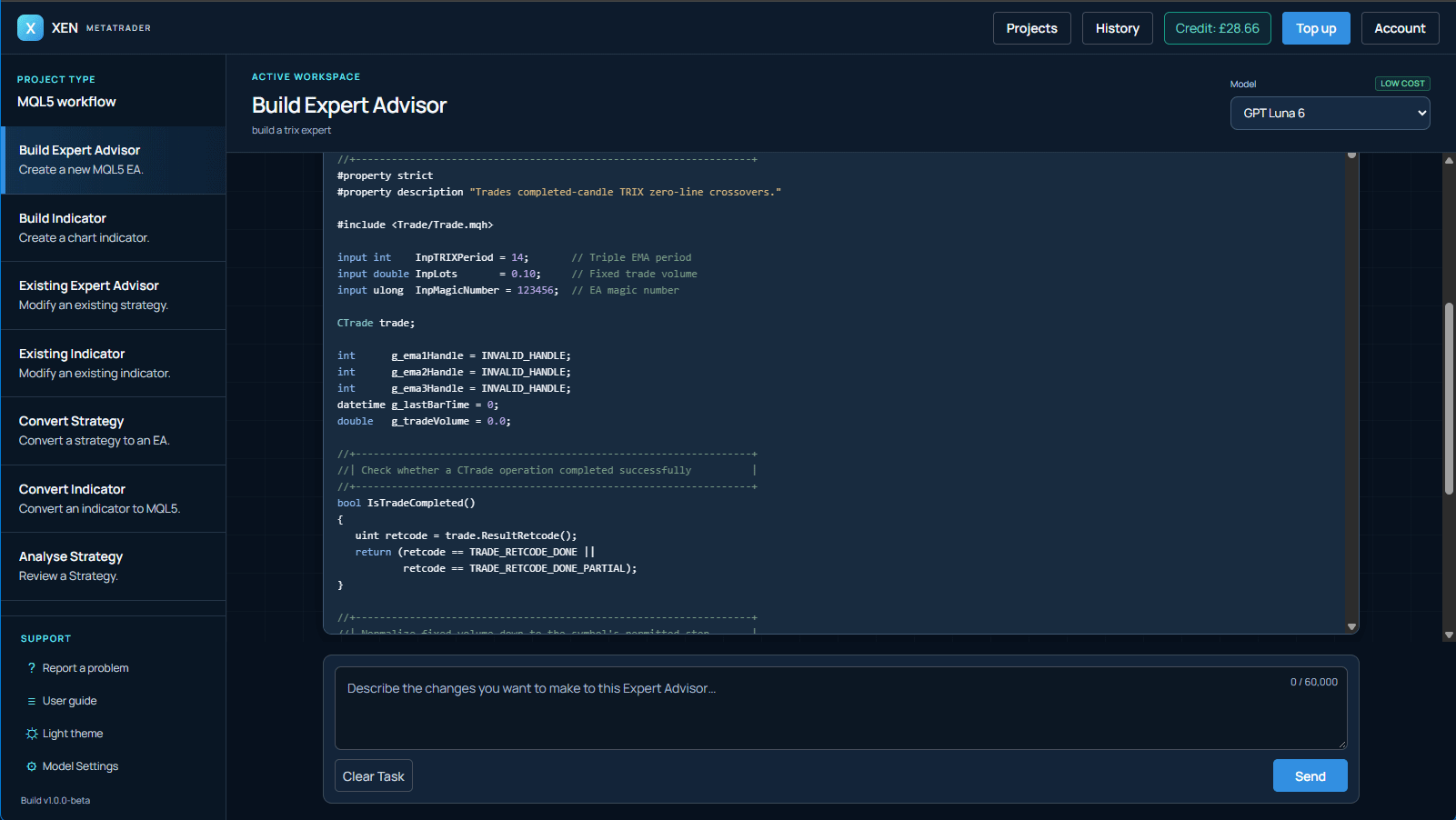
Scripts and utilities are also supported. These can cover focused jobs involving orders, risk calculations, chart analysis or repetitive tasks in MetaTrader. Not every project needs to be a completely automated strategy.
If you already have MQL5 source code, you can supply it and describe the changes you want. For example, you might add a trading-hours filter to an EA, change an indicator's alerts or revise how a strategy manages an open position. Providing the complete current source gives Xen the context needed to make those changes.
Conversion tasks let you bring source code from platforms such as TradingView or cTrader into an MQL5 project. This involves adapting the original rules to how MetaTrader handles signals, orders, and positions. Test the converted tool against the original behaviour, since platform differences can affect how a strategy runs.
Projects keep your work organised as it develops. History lets you view saved source versions and restore an earlier snapshot as the current version, which is useful when you want to return to the code from before a particular change.
Check the code and test its behaviour
Xen returns complete MQL5 source that you can save and compile in MetaEditor. If MetaEditor reports errors, give Xen the compiler messages and the current source. It can explain the fault and return a corrected version for you to compile again.
Requirements verification provides another check. It compares the latest code with your original request or active Build Plan and identifies requirements that are implemented, partially implemented or missing. This is especially useful after several revisions, when it becomes harder to track every requested feature.
Successful compilation doesn't prove that a tool behaves correctly. You still need to check an indicator on a chart, and you need to test an EA to confirm that its entries, exits, and position sizes follow your rules. Requirements verification helps review the source, but it doesn't replace those practical checks.
You can also upload a MetaTrader 5 Strategy Tester report to Xen for a review of trades and performance. Use the findings to decide what to investigate or change, then run further tests in MetaTrader. Backtest results describe historical performance and do not guarantee future returns; review and test generated code on a demo account before live use.
Choose a model and use credit as needed
Xen offers a choice of AI models, with model pricing and your remaining balance visible in the workspace. We review the latest flagship models each month and assess their suitability for MQL5 development, considering code quality, reliability and cost.
There is no monthly subscription. AI requests use credit according to the selected model and usage, and you can top up from £1 using card payments through Stripe or PayPal. This lets you return when you have a tool to build, an error to fix or a project to update.
MetaTrader Xen is part of ClickAlgo's range of AI coding tools for trading platforms. We've been developing trading software since 2014, and the workflow reflects the same practical process: define the requirements, work from complete source code, then compile and test each change.


